Updates

Follow new updates and improvements to Siteglide.

11th May 2026: Studio v1.18 - 16 Changes including UX Improvements and Bug Fixes

This release includes 16 changes that improve the overall usability of Studio from bug fixes to UX tweaks and feature upgrades.

This is a fairly minor release compared to some of the big features we’ve released recently but we’ve been focused on the small everyday things that help make building and maintaining sites in Studio faster and easier.

The notable changes include:

  1. Speed improvement for the way Studio loads dynamic content sections

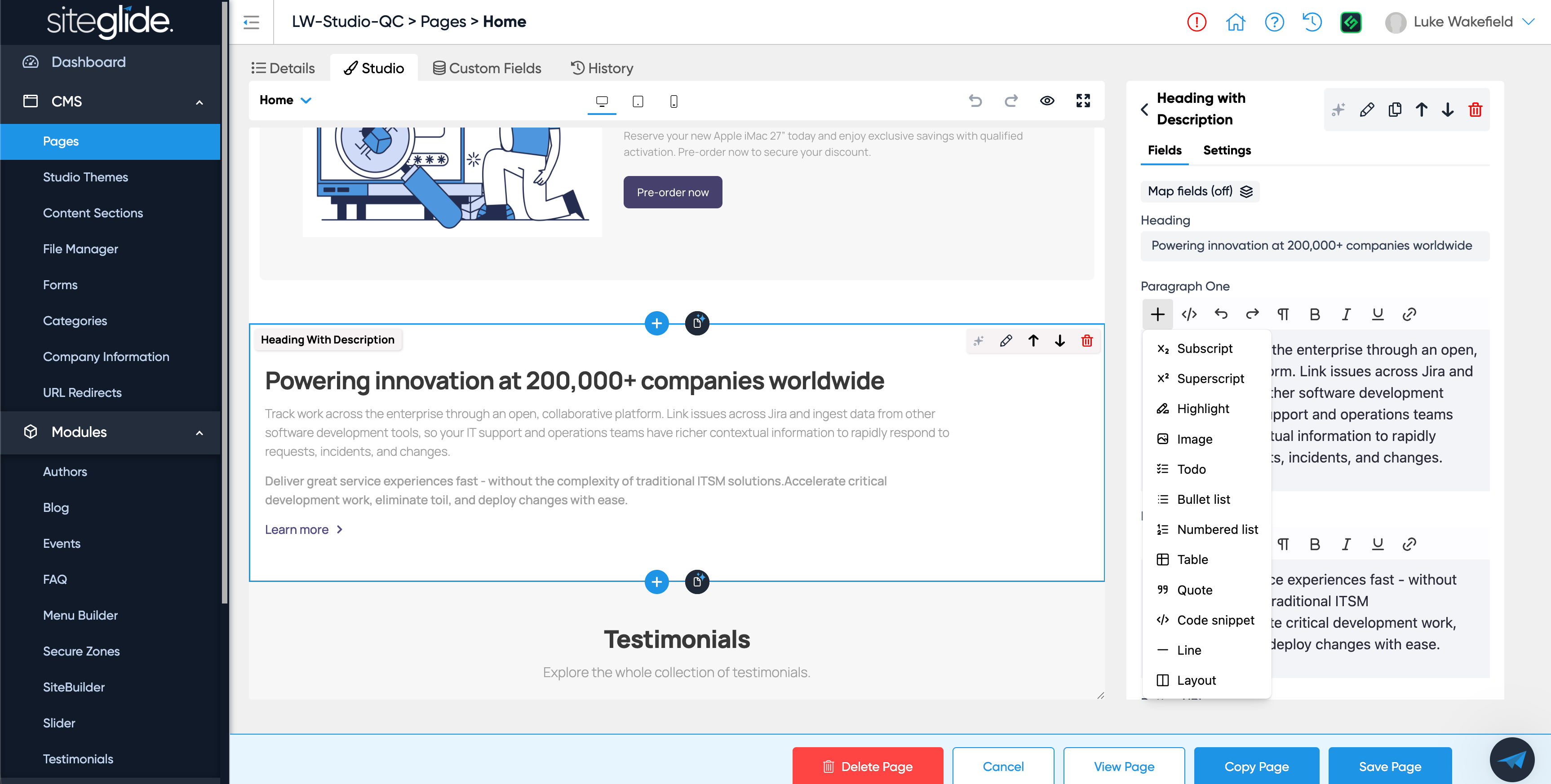
  2. Add images to Studio Rich Text fields via File Manager modal

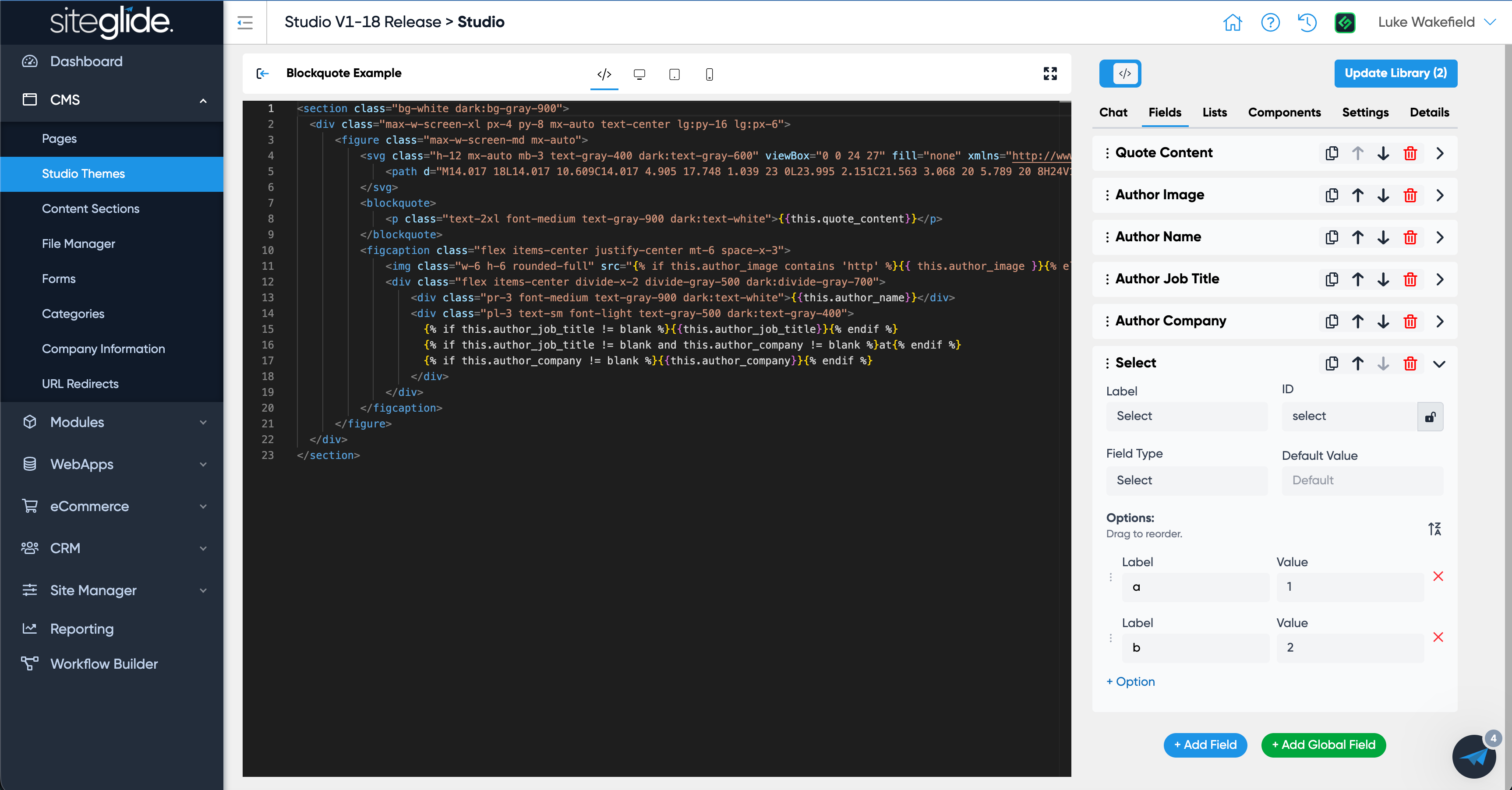
  3. Ability to re-order Options in a Select field

  4. Add a Global Section icon in Preview to clearly see which sections are Global

  5. Support changing attributes on the Page Template HTML tag

  6. Warning for cloning or losing changes to a Section in Page Templates

  7. Updated the Rich Text Editor to the latest version

  8. Fix field mapping to show all items for selection even if the filter is set to show less

  9. Hide SEO/OG fields in field mapping if detail view is turned off

  10. Update Themes > Sections UI to show if a section is used in multiple places (like in Pages)

  11. Bug with Lists that make a section not load in Studio

  12. Bug when trying to copy a Dynamic Section

ImprovedFixed

1st April 2026: Studio v1.15.1 - Global Sections, Section Copy, Datasource item limit and Field ID Lock

No April fools here, just another big update with 18 tickets to include a really useful feature called Global Sections, some UX improvements, extra settings and then lots of bugs squashed.

To test it out we recommend making a copy of the Flowbite Free Studio Template in Marketplace.

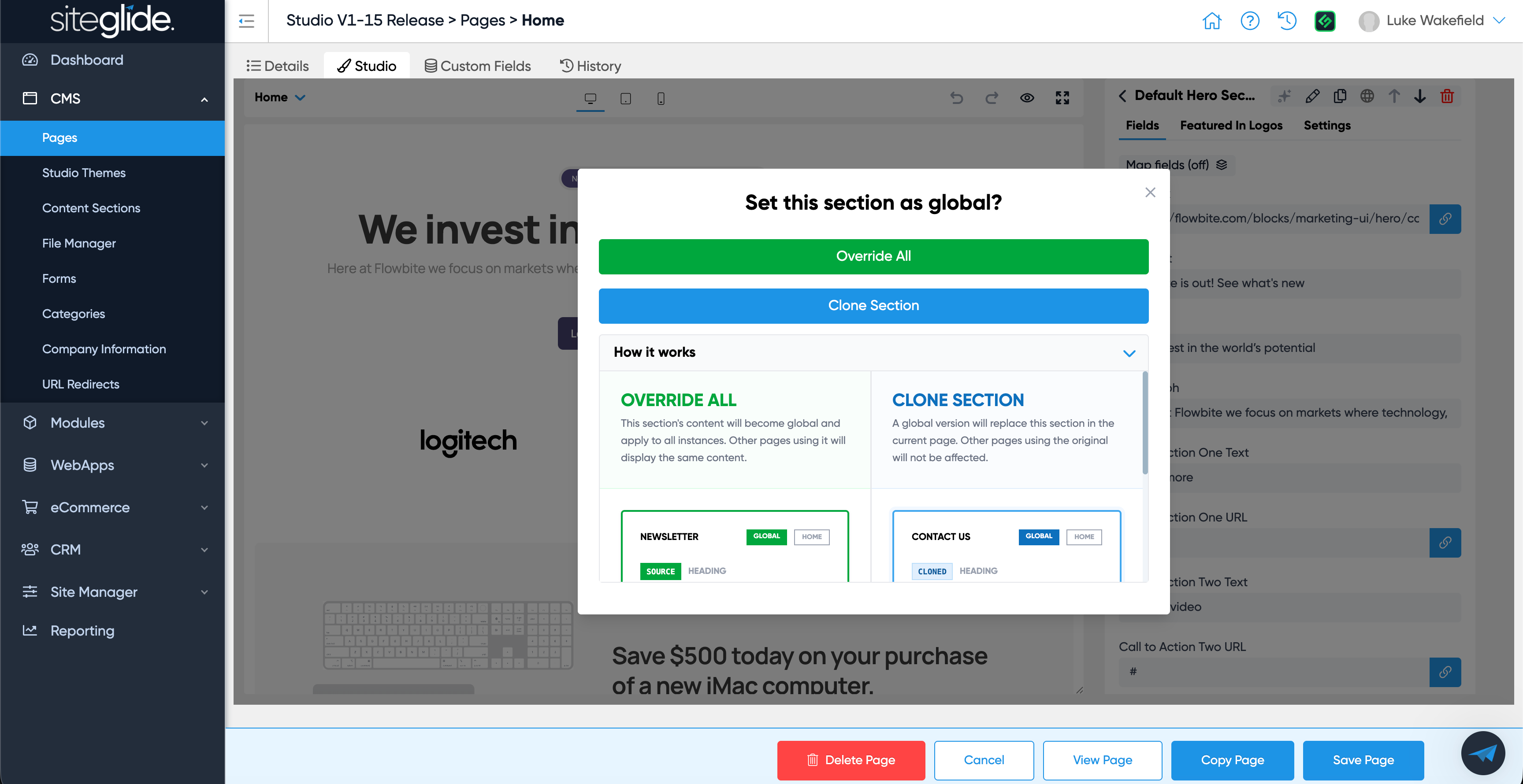
Global Sections

This allows you to mark a section as global and use it across the site with the same content.

Previously you’d have to maintain multiple content versions even though the section itself was shared (the layout/fields).

Simply click the globe icon and decide whether to make all instances of that section use the selected section or clone the selected section and make it global so it can be inserted elsewhere.

https://feedback.siteglide.com/p/global-setting-for-sections

Datasource Item Limit

You can now specify how many items to show on any datasource in a Studio section. For example you have a static section with a list of cards and you map FAQs to it, you can control how many FAQs are shown (previously it’d be all up to a limit of 20).

Please note, this can affect page performance. We recommend dynamic sections if you’re looking to display database items with pagination.

https://feedback.siteglide.com/p/studio-list-datasource-item-limit

Secure Zones support added to Studio Pages

Studio Pages now support whole-page Secure Zones just like regular CMS Pages. To control the behaviour when a user is not logged in or has the incorrect zone, edit the 401 system page.

https://feedback.siteglide.com/p/handle-whole-page-secure-zones

Section Copy

You can now edit a section and click the ‘Make a copy’ button (top right of the section editor modal), this will create a copy of the section itself so you can customise it to be a new section.

https://feedback.siteglide.com/p/option-to-copy-a-section-even-if-its-only-used

Field ID Lock

By default all new fields will now be locked once the section is saved, this helps avoid accidentally breaking a section by changing an ID that’s in use. You can unlock an ID but you will still need to update where that ID has been used to the new value (it’s still best not to change IDs once in use which is why we now lock them by default but the option to unlock and edit is there).

https://feedback.siteglide.com/p/when-modifying-a-section-field-lock-the-id

Dynamic Sections Fields & Settings

Dynamic sections now support fields and settings just like static sections. This helps clients to edit things like titles which sit above or around the dynamic results.

We are updating our library of Flowbite dynamic sections to make use of this in the coming days. You will be able to install new versions from the Flowbite Free theme in the marketplace.

https://feedback.siteglide.com/p/support-fields-and-settings-on-dynamic-sections

Bugs squashed

  • Sid AI can now update Rich Text Fields

  • Category filter now works correctly (shows items)

  • Integer field now works correctly

  • Warning when navigating away from section editor to avoid losing unsaved changes

  • Fix for intermittent error when navigating section library
NewImprovedFixed

9th March 2026: Studio v1.14.0 - Usability Improvements

It’s hard to give this release a more unique name because it includes 15 updates!

Watch the video to see each feature in action or read about them below (with links to the feature request in the titles).

Rich Text Field - Add quick-win buttons

We’ve added many of the formatting options found in other Rich Text Editors (RTEs) used across Siteglide including: Links, Paragraphs, Bullet Points and Tables.

Note: Theme developers will need to ensure you have the necessary CSS setup for the formatting to apply (we will ensure this is done for all Themes we offer).

Add field input for the new field types

We recently created more Studio field types and have added support for them in Studio including:

  1. Date and Date / Time Fields

  2. File Field

  3. Radio Field

  4. Checkbox Field

Using Company Information as a datasource in Studio

Company Information is now a datasource option in Studio Fields which is very useful and helps avoid having to manually update company details across a site.

Studio - Allow Global Fields to be added to lists

You can now use Global Fields in Lists (previously only in Fields).

Opening a section on the right also selects it on the left and scrolls to it

In a previous version we added a really useful UX improvement where if you click into a Section from the Preview it would open that Section on the right hand side.

Now if you click a Section on the right hand side it’ll scroll to that Section in the Preview and select it.

Make the Tailwind Play CDN Version for Studio upgradeable from a setting

There’s now a dropdown setting in the Theme where you can choose the Tailwind version (e.g. v4).

Improve Table view for Sections List in Themes

It’s now easier to find Sections in the Section List of Themes with the filter by category and sort by colums.

Disable Siteglide bottom blue bar buttons on Section modals

If a Modal is open the blue Siteglide buttons will be disabled so that it’s clear you need to interact with the Modal itself (e.g. Save or close the Modal not the Page).

Section Builder Monaco Code Editor Improvements

Section Builder/Editor now has Autocompletions to help speed up writing code as part of the Monaco Editor.


We’ve also squashed some bugs and improved UX to make Studio quicker and easier to use.

ImprovedFixed

Earlier updates